
Help
Books and tax computation
Turn your books into a tax computation: business and other income, deductions, tax credits and the challans you have paid.
Where to find it:Income TaxBooks & Tax Computation
What the computation works out
The computation is the working of one year's income tax: the income under each head, the deductions, the tax on what is left, what is already paid, and the balance to pay or the refund.
KyDec reads your books for the year, adds what you type, and works the result again each time something changes. Beside a line it shows the section of the law the line rests on.
- Net profit comes from your ledgers when Advanced Accounting is on. With it off, you type it.
- Turnover is your invoices dated in the year, less credit notes, without GST. Drafts and cancelled invoices are left out. How the money came in (bank, UPI, card, cheque or cash) is read from your payment receipts.
- Tax deducted at source (TDS) is the tax your clients held back when they paid you. It is taken from TDS Withheld on your payment receipts dated in the year. Once Form 26AS or the AIS is imported, the statement is used instead.
- Tax paid is the challans you record under Tax Payments.
- Everything else, such as salary, house property, capital gains, interest and deductions, is typed as totals for the year.
Good to know. Nothing here is sent to the income tax department. The computation is your own working, and the base of the return file.
Before you start
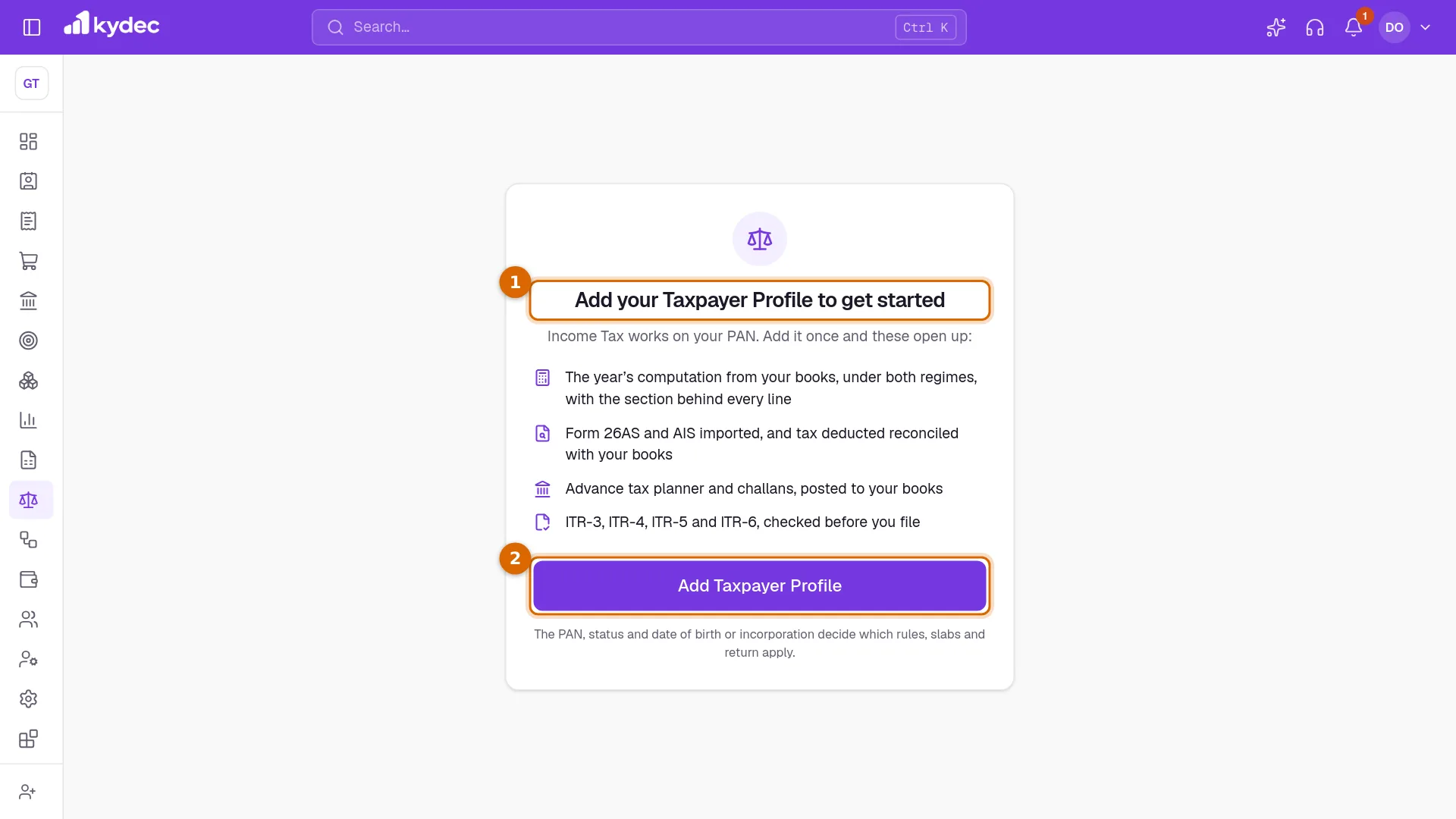
- 1If the page shows Add your Taxpayer Profile to get started, no PAN is saved for this business yet.
- 2Click Add Taxpayer Profile, fill it in and save. Then come back.
- Your role needs Prepare computations and record tax payments to save a computation or record a challan.
- Is Advanced Accounting off? The computation still works, but you type the net profit, and no entry is made in your books for a challan or for the year-end provision.
Open the computation and read the statement
Open Books & Tax Computation under Income Tax.
- 1Choose the Tax Year. The page opens on the last year that has ended.
- 2Work down the cards on the left, starting with Business or Profession. After it come Other Income and Losses, Tax Regime (an individual or a HUF only) and Credits and Filing.
- 3Computation on the right is the statement. It is worked again a moment after every change, before anything is saved.
- 4Click Save to keep the year. The button reads Saved when there is nothing new to save.
- The box at the top of the statement gives Balance payable or Refund due, with Total income, Tax for the year, Return due and Worked as filed on. A filing date after the due date is marked late.
- Lines marked Not allowed are errors. No return can be validated until they are put right. Lines marked Check are warnings to read.
- Then each part in turn: business or profession, salary, house property, capital gains, other sources, gross total income, deductions, the tax on total income, and the credits, interest and what is payable.
- Losses after this year lists what is carried forward to later years and what has lapsed.
- KyDec takes the due date of the return as 31 August for a business that is not audited, 31 October for a company or for audited accounts, and 30 November where a transfer-pricing report is due.
Good to know. Once a return for the year is marked as filed, the computation is locked and cannot be saved. To change it, start a revised return under File ITR.
Business income: from the books or presumptive
Business or Profession has two tabs. They decide how the business income of the year is worked.
- From the books starts from the net profit. With Advanced Accounting on, Profit as per Books shows the net profit of the year from your ledgers, and adds back the depreciation and the income tax charged in the books. Use a Different Net Profit replaces the book figure, for a year whose accounts were finalised elsewhere. With Advanced Accounting off, type Net Profit as per Profit and Loss Account (a loss with a minus).
- Adjustments are what the law adds to the book profit or takes off it. Click Add, choose Add or Less, the section, a description and the amount. Where your payout receipts show cash above ₹10,000 paid to one party in one day, KyDec offers the line with Add back.
- Depreciation under the Act (s. 32) is worked by block of assets. Choose a block under Add a block and enter Opening WDV (the written down value at the start of the year), Additions, 180 days or more, Additions, under 180 days and Sale proceeds. KyDec shows the depreciation and the closing value of each block.
- A firm or an LLP also enters what it paid its partners under Partners (s. 40(b)). KyDec adds back what is above the limits.
- The Presumptive tab is offered where a scheme is open to your status. Income is then presumed on turnover and the books are not looked at. Choose the Scheme, then Turnover or Gross Receipts, Received Digitally and Cash Received in the Year. Use these fills them from your books. Leave Income Declared empty to declare the minimum the scheme gives. For goods carriages (s. 44AE) you add each vehicle with Add vehicle instead.
- Profit of Another Business on the Same PAN adds the profit or loss of a second business that files on the same PAN.
Good to know. The tab is named after the schemes open to you, for example Presumptive (44AD / 44ADA / 44AE) for an individual. A company or an LLP is offered s. 44AE only.
Other income, the regime, credits and the provision
- Other Income and Losses takes the rest as totals for the year: Salary from each employer (an individual only), House Property, Capital Gains, Other Sources (interest, dividends, other income, winnings) and Losses Brought Forward.
- Type the losses from last year's return with Add loss. Once a year's computation is saved in KyDec, the next year takes its losses, and the opening value of each block of assets, from it. They are then shown, not typed.
- Tax Regime (an individual or a HUF) works the same figures under the New regime and the Old regime side by side, with the total income and the tax under each. Choose the one the return takes. The cheaper one is marked with what it saves.
- Credits and Filing takes Other TDS (tax deducted that is not on your receipts, such as on bank interest) and TCS (tax collected from you at source). When a Form 26AS or an AIS is imported, these two are not used: the statement decides.
- Date of Filing is the day the return will go in. Interest and the late fee are worked to it. Empty means today.
- Everyone but a company sets Tax Audit (Follow the turnover, Audited (s. 44AB) or Not audited), which moves the due date of the return, and can enter AMT Credit Brought Forward. A company on the normal provisions enters MAT Credit Brought Forward and Book Profit for MAT. MAT and AMT are the minimum taxes the law sets beside the normal tax.
- Year-End Provision appears when Advanced Accounting is on. Tick Post the provision to the books and KyDec makes a Journal entry on the last day of the year for the tax of the saved computation, and keeps it in step each time you save the computation again. Untick it and the entry is reversed.
Good to know. Setting advance tax and TDS off against the provision, after assessment, is a journal entry you make yourself.
Deductions and Tax Credits
- Deductions edits the same computation, for the same Tax Year. Type what you claim under each section. The Allowed card shows what is claimed beside what is allowed, with the total and the tax after it. The limits, your status and the regime decide what is allowed.
- Its cards are Investments and Insurance and Health, Loans and Savings for an individual or a HUF, Business for everyone, and Donations (s. 80G), where each donation is added with Add donation.
- On the new regime the page tells you that only a few sections are kept. You can still type the rest to see what the old regime would save.
- Tax Credits changes nothing. It shows what is set against the tax of the year and where each figure comes from: Tax Deducted at Source deductor by deductor, Tax Collected at Source, Tax Paid by Challan and, on the right, Set Against the Tax.
- Withheld, Not Yet Claimable lists tax a client held back that the imported statement does not show, or shows short. No credit is given for it until the client reports it.
Good to know. Credit for TDS is given on what the deductors reported, not on what your books show. Until a statement is imported, KyDec uses the books.
Tax Payments: plan your advance tax
Advance tax is income tax paid in instalments during the year. Tax Payments plans it, and keeps every challan you paid on the income tax portal.
- 1Choose the Tax Year. This page opens on the year running now.
- 2The advance tax panel shows Tax after TDS / TCS and Paid by challan. When advance tax is due, each instalment has its date, the share of the tax it requires, what was paid by then, the shortfall and the interest on it. A line names the next amount to pay and its date.
- 3Record Challan adds a payment you made on the portal.
- The panel uses the saved computation and the books as they stand today. With no computation saved for the year, it is worked on the books alone and says so.
- Where the tax after TDS and TCS is under ₹10,000, the panel says no advance tax is due.
- The list below shows each challan: Date, Type, BSR Code / Serial, CIN, Paid from, Tax, Interest & Fee, Total and Entry.
- Entry is the entry made in your books: its number, Pending while it is waiting to be made, or No account when no account was chosen. Entries are made only while Advanced Accounting is on.
- Remove deletes a challan after you confirm, and reverses its entry in the books. It is refused once a return for the year is filed.
Good to know. KyDec does not pay the tax. You pay on the income tax portal and record the challan here.
Record a challan
Pay the tax on the income tax portal first. Then click Record Challan and copy the details from the receipt the portal gives you.
- 1Choose the Type of Payment: Advance tax (100), Self-assessment tax (300) or Tax on regular assessment (400). Then the Date of Payment on the challan.
- 2Enter the BSR Code (7 digits, the bank branch) and the Challan Serial Number (5 digits). CIN and Bank are optional.
- 3Choose Paid From, the account the money left. Without one, no entry is made in your books.
- 4Under What the Challan Paid, split the amount as the challan does: Tax, Surcharge, Cess, Interest, Penalty, Fee (s. 234F) and Others. The total shows at the foot.
- 5Click Record Challan.
- The challan counts against the tax of the year at once: on the computation, the advance tax panel, Tax Credits and the Dashboard.
- With Advanced Accounting on and an account chosen, KyDec makes a payment entry. The tax goes to the ledger Advance Income Tax, interest, penalty and fee go to Interest on Income Tax, and the account you chose is credited.
- Advance tax is a payment made within the year. After the year ends, record the payment as self-assessment tax. Tax on regular assessment is recorded only after the year ends.
- A date in the future, or before the year begins, is refused. So is a challan with the same BSR code, date and serial number as one already recorded.
Good to know. Self-assessment tax is the balance you pay with the return. Record its challan before you validate and file, so that the return shows it as paid.
Common questions
- Why is the net profit empty, with a line saying it is not allowed?
- Advanced Accounting is off, so your books hold no profit figure. Type the net profit of the year under Net Profit as per Profit and Loss Account, with a minus for a loss.
- I changed my books after saving the computation. Is it out of date?
- No. Each time you open the page, the result is worked again from what you saved and the books as they are now. Click Save to record it. If a return was already validated, validate it again.
- Why did my TDS change after I imported Form 26AS?
- Once a statement is imported, TDS and TCS are credited as the statement shows them. The TDS Withheld on your receipts and what you typed under Other TDS and TCS are no longer used for that year.
- Does KyDec pay my advance tax?
- No. The advance tax panel tells you how much to pay and by when. You pay on the income tax portal and record the challan with Record Challan.
- Can I change the computation after the return is filed?
- Not directly. It is locked when the return is marked as filed. Start a Revised Return on File ITR opens it again for the correction.
Related guides
Income Tax
Work out your business’s own income tax: set up the taxpayer profile once, then follow what is due from the dashboard.
AIS, Form 26AS and reconciliation
Import your Form 26AS and AIS and check them against your books, so the tax credit you claim matches what the department has.
Advanced accounting
Manual ledgers and voucher entries, plus the back-fills that populate them: carry closing balances into a new financial year, and generate vouchers for documents you have already raised.
Payment accounts
Every account money moves through — bank accounts, the cash box, cards and wallets, and employees you reimburse. What you add here is what a document can be paid into.