
Help
Business profile
The name, tax registration and address printed on everything you issue. Getting these right once keeps every document compliant.
Where to find it:Business SettingsBusiness Profile
What the business profile is
The business profile is who you are on paper: your name, your tax registration, your address and how a client can reach you. Every invoice, quotation and order you issue takes these details from here.
Fill it in once, before you raise your first document. A wrong tax number or an old address is then corrected in one place, for every document that follows.
Start with the basics
- 1Open Business Settings in the sidebar and choose Business Profile. Basic Information is already open.
- 2Enter the Business name. It is required, and it is the name printed on your documents. Add a Legal name if your registered name is different.
- 3Check the Country and the Currency. A new document is raised in this currency unless you change it on the document.
- 4Click Save changes. Nothing on this page is saved until you do.
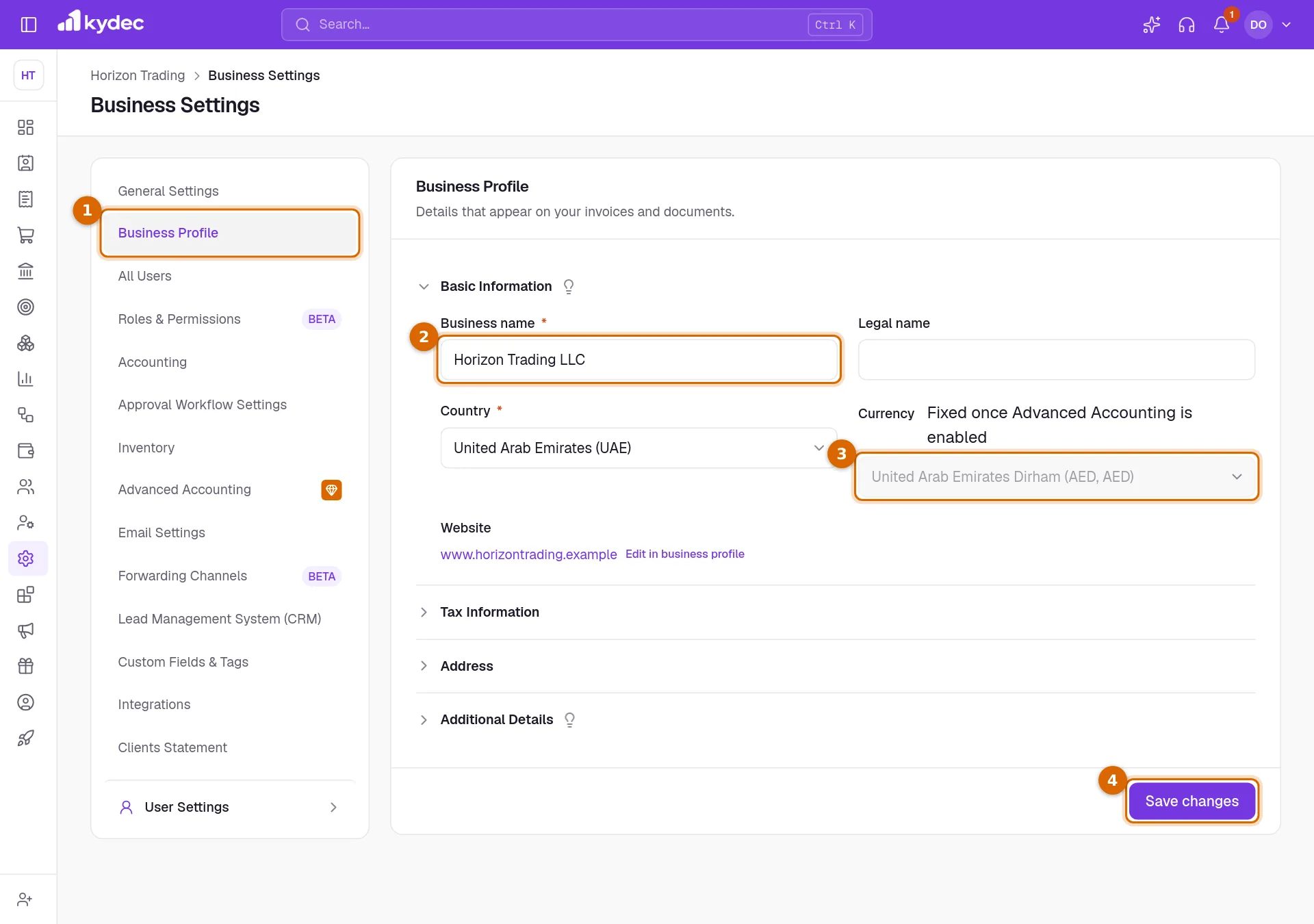
- The page has four parts that open and close: Basic Information, Tax Information, Address and Additional Details. The one Save changes button saves all four.
- Website is shown here but changed on your public profile. Click Edit in business profile beside it.
Good to know. Once Advanced Accounting is enabled the currency is fixed, and the Currency field is locked.
Add your tax registration and address
- 1Open Tax Information and enter your Tax registration number. This is your TRN or GSTIN, and it is printed under your name on every document.
- 2Add a VAT number if you hold one as well. It is printed after the registration number.
- 3Choose your Vendor type, Individual or Company, and pick a Tax treatment if one applies to you.
- 4Open Address and fill in the Street address, Building number, District, City / town, State / province and Postal code.
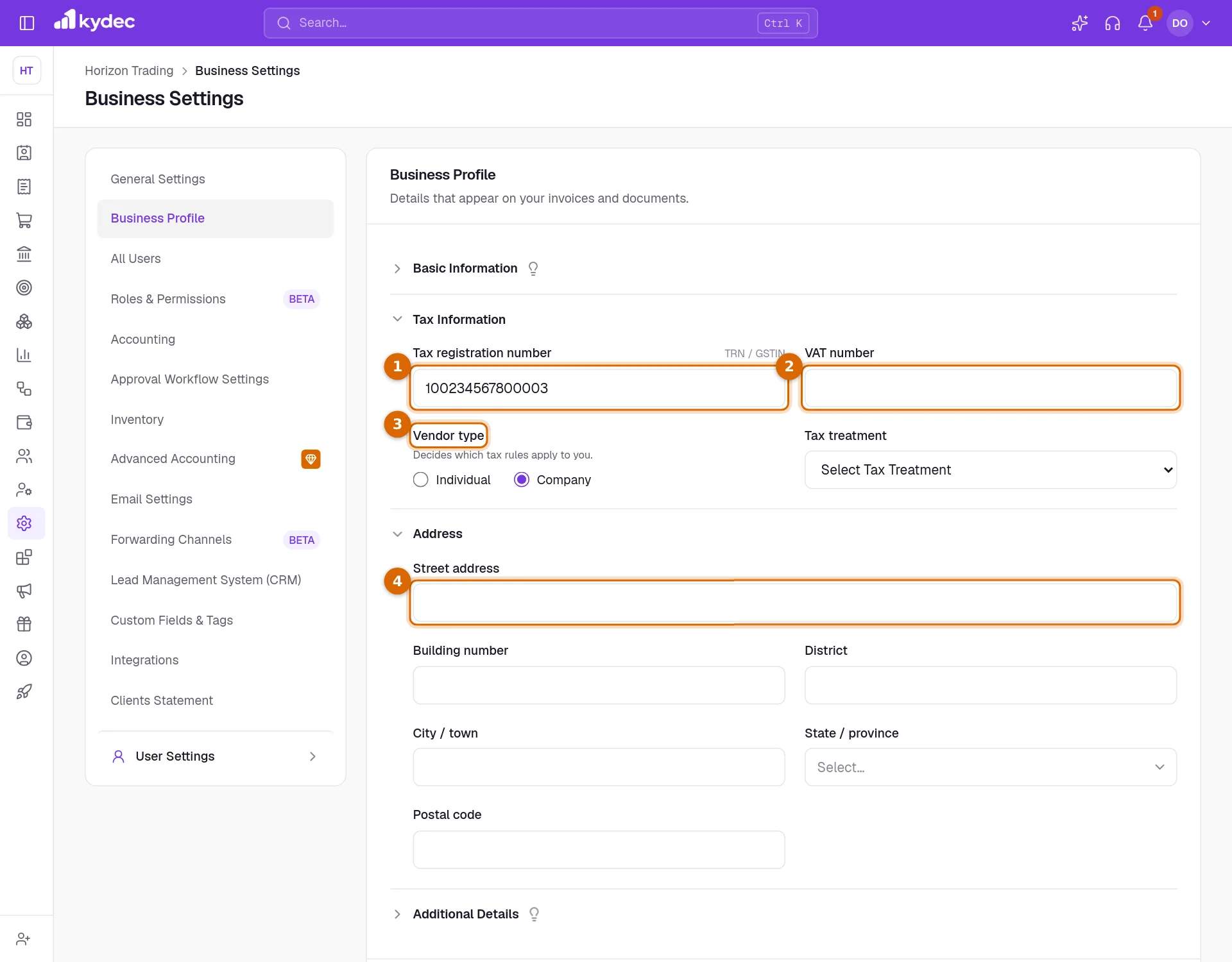
Good to know. For a business in the United Arab Emirates the tax registration number must be 15 digits and start with 1. Anything else is refused when you save.
Decide how you appear and how clients reach you
- 1Open Additional Details. Display name is the name people see for your business in KyDec, on your public profile and in the emails you send. Leave it empty to use the business name.
- 2Short name is a short form of your name, used when ledgers are named for your business.
- 3Enter the Business email. Keep Show email on documents ticked to print it on your documents.
- 4Enter the Phone with its country code. Show phone on documents works the same way.
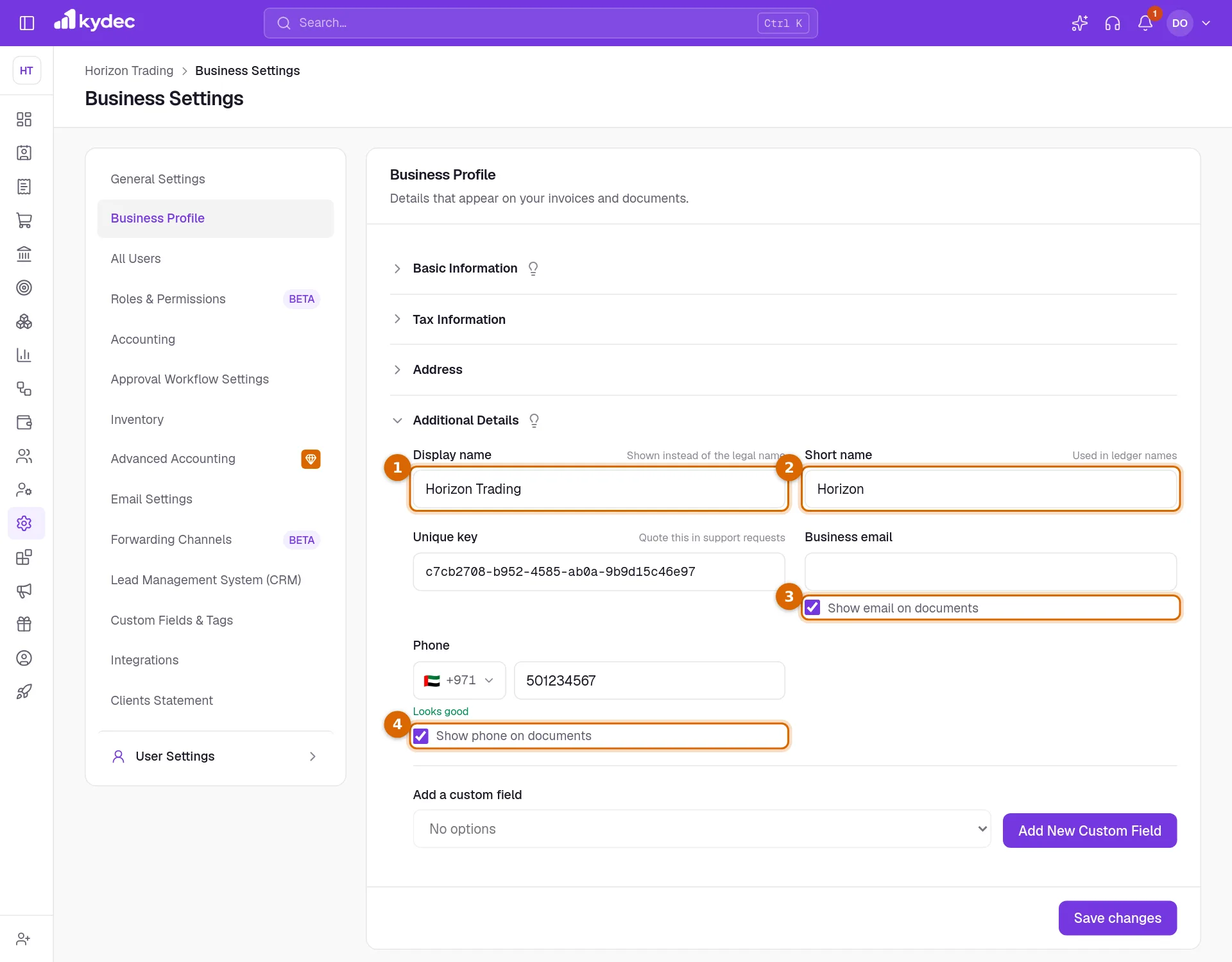
- Unique key identifies your business to our support team. It cannot be changed. Quote it when you ask for help.
- Need a detail that is not here, such as a licence number? Add New Custom Field at the bottom of this part adds one.
What your documents show afterwards
- Your block on a document shows the Business name, then your city, state and country, your tax registration number, your VAT number, and your email and phone if they are ticked to show.
- The registration number is labelled TRN, or GSTIN for an Indian business on GST.
- You can correct the same details while raising a document: Edit beside your business name opens Business details, which changes this same profile.
Good to know. A document keeps the details it was saved with. Changing your profile today does not rewrite an invoice you issued last month.
Common questions
- Will changing my address or tax number change invoices I have already issued?
- No. Each document keeps the details it was saved with. The new details are used on documents you create from now on.
- What is the difference between Business name, Legal name and Display name?
- Business name is printed on your documents. Legal name is your registered name, kept for your tax records when it differs. Display name is the name shown in KyDec, on your public profile and in your emails.
- Why can I not change the currency?
- The currency is fixed once Advanced Accounting is enabled, because your books are kept in it. Until then you can change it here.
Related guides
Taxation and billing
Set your tax system, default rate, due dates and financial year once. Every document you raise afterwards inherits them.
Custom fields
Add fields your business needs that we do not ship by default, and choose which of them print on your documents.
Custom labels and fields
Rename the fields printed on your documents to match your own vocabulary, control how serial numbers look, and set the filename a downloaded PDF is saved under.
KYC details
Identity and address documents we need before settling an online payment to you. Upload one file per requirement; a reviewer checks them and the set stays editable until then.